

Account & licence NaviBoss help
What NaviBoss Desktop's activation messages mean, and what to do
Every message you can meet while activating NaviBoss Desktop or opening a licence file, word for word, with what to do about each one.
Each part below quotes a message exactly as NaviBoss shows it, then says what to do. Keep your licence key at hand: it is in your payment email, or see Find your licence key.
In Settings › License & data, the licence file messages start with Import failed:. On the first-start screens they show on their own.
#"That is not a licence key"
That is not a licence key. It looks like NB-XXXX-XXXX-XXXX-XXXX and is in your payment email.
What you typed is not the shape of a key. Copy it from the payment email and paste it. A key has 16 letters and numbers after NB-. Small letters and missing dashes are fine.
#"That licence key is not recognised"
That licence key is not recognised. Check it against your payment email, or find it at auth.naviboss.app/account.
The key has the right shape, but no plan has it. Check every character against the email. Still refused? Get your key from auth.naviboss.app/account, or write to [email protected].
#"This key's plan does not include NaviBoss Desktop"
This key's plan does not include NaviBoss Desktop. The app comes with the 6-month and 1-year plans; Monthly is the website only.
The Desktop app comes with the 6 months, 1 year and Lifetime plans. To use it, change to one of those: see Which plan and naviboss.app/#pricing.
On the phone page this can show as No PCs to activate on this key.
#"All the PCs on your plan are already activated"
All 4 PCs on your plan are already activated this period. They free up when the plan renews; to move a PC sooner, write to [email protected].
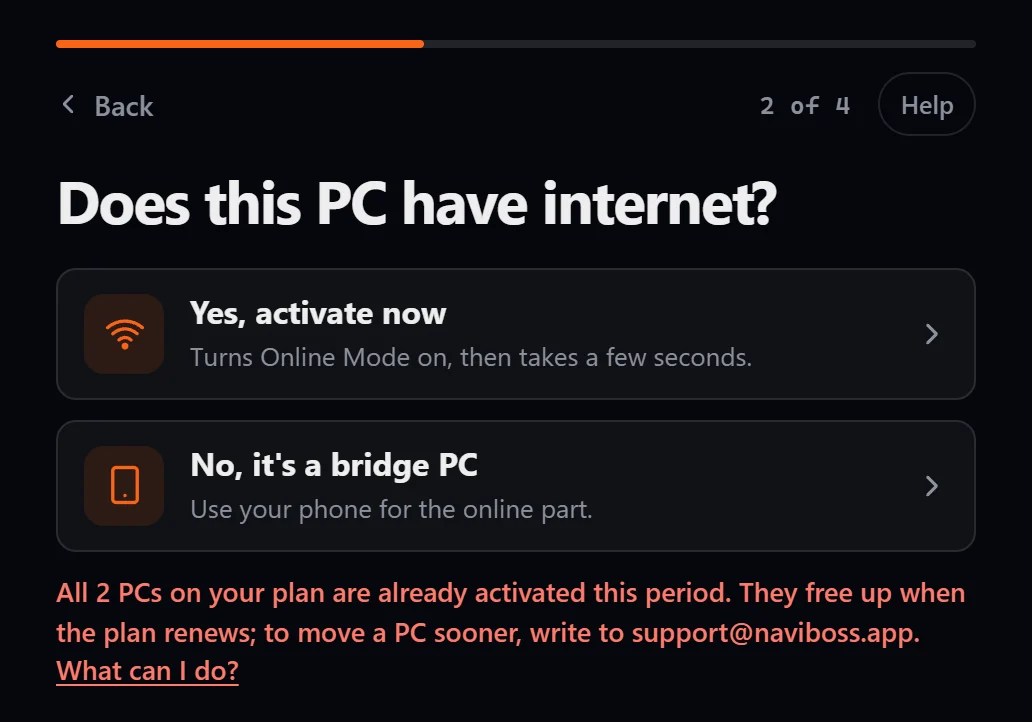
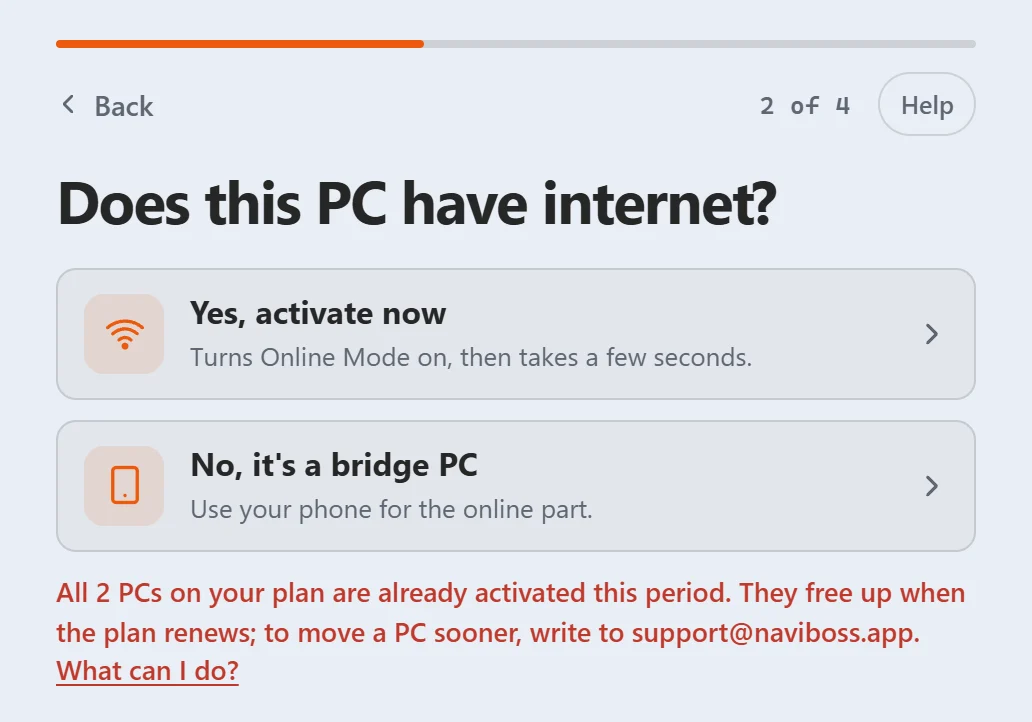
(Or 2 PCs, on a 6 months plan.) Every place this period is taken. On the phone page it shows All 4 PCs are in use, with the PCs that hold them. Then either:
- Write to [email protected] with this PC's code, and we will move a place. The phone page's Write to support to move a PC button writes the email for you.
- Or buy another plan for more PCs, with the same email.
See How many PCs, and moving to a new one.
#Lifetime: all licences in use
Your 5 Lifetime licences and this 6 months' 4 one-year licences are all in use. The one-year licences fill up again on a date. To move a Lifetime licence to this PC, remove one PC at auth.naviboss.app/account (one in any 12 months).
On the phone page it shows No licence is free right now. Wait for the date shown, or free a Lifetime licence: see Move a Lifetime licence.
#"Your plan has ended"
Your plan has ended. Renew at naviboss.app, then activate this PC again.
Renew your plan with the same email, then activate again with the same key. See When your licence ends.
#"Too many tries from this connection"
Too many tries from this connection. Wait ten minutes, then try again.
Too many keys were tried in a short time. Wait ten minutes, check the key, and try once more.
#"NaviBoss could not activate this PC"
NaviBoss could not activate this PC (and a short code in brackets). Try again, or write to [email protected].
Something unexpected happened, often a weak connection. Try again. If it keeps coming back, use the phone instead (Activate a bridge PC), or write to [email protected] with the code in brackets.
#"This licence file belongs to a different PC"
this licence file belongs to a different PC. Activate this PC with your licence key instead (it is in your payment email): it takes one of your plan's free PC slots.
Each licence file is made for one PC only. Activate this PC with your key, or make its own file at auth.naviboss.app/account › Add a PC with this PC's code.
#"This licence file has ended"
this licence file has ended. If your plan was renewed, or you have Lifetime, activate this PC again with your licence key to get its new file.
You opened an old file. Activate this PC again with your key to get a new one. Renewing is in When your licence ends.
#"Licence ended"
licence ended. If your plan was renewed, or you have Lifetime, activate this PC again with your licence key to get its new file.
This shows in Settings › License & data under Licence not valid. The licence already on the PC has run out. Do the same as above.
#"This is not a NaviBoss licence file"
this is not a NaviBoss licence file. Download it again from auth.naviboss.app/account (it is called naviboss.lic) and import that file.
You picked another file, or the copy is cut short. Pick naviboss.lic, or download it again: see Download a PC's licence file again.
#"This licence file has been changed"
this licence file has been changed, or is not genuine. Download it again from auth.naviboss.app/account and import that file.
The file was edited, or damaged on the way. Download a fresh copy and do not open it in another program first.
#"This PC's clock looks rolled back"
this PC's clock looks rolled back. Set the date and time to the present, then reopen NaviBoss.
Set the PC's date and time right, close NaviBoss and open it again.
#"This licence file is from an older version"
this licence file is from an older version of NaviBoss and no longer opens it. Download this PC's licence file again from auth.naviboss.app/account (it is free) and import the new file.
Download the file again: it is free and uses no new place. See Download a PC's licence file again.
#"This licence file does not match this copy of NaviBoss"
this licence file does not match this copy of NaviBoss. Write to [email protected] with your Machine ID and we will send a working file.
Write to [email protected]. For the "Machine ID", send this PC's code from Settings › License & data › This PC.
#"This PC could not read that file"
This PC could not read that file. Copy it from the USB stick to the desktop, then open it from there.
Copy naviboss.lic from the stick to the Windows desktop, then press Open the licence file again and pick that copy.
#"This PC did not keep it"
the licence is genuine, but this PC did not keep it — its credential store is unavailable. Contact [email protected]
Windows would not store the licence on this PC. Restart the PC and try once more. If it comes back, write to [email protected].
#On the phone page
These show on naviboss.app/activate:
- That PC code is not right. It has 20 letters and numbers, and is on the bridge PC's screen under the QR code. Type the code again from under the QR code, or from Settings › License & data › This PC.
- No connection. Check the phone's internet, then try again. The phone has no internet. Move to a better signal, then press Try again.
- NaviBoss could not make the file just now. Try again later, or write to [email protected]. A fault on our side. Try again later.
- Something went wrong (and a short code in brackets). Try again, or write to [email protected]. Try again. If it keeps coming back, write to us with the code in brackets.
- This PC is already activated is not a problem. Press Download its licence file again: it is free.
#"Not activated" and "Licence not valid"
These are what Settings › License & data and the account menu say about the PC:
- Not activated: the PC has no licence yet. Routing, port search and export are off, but you can open and view a route file. Press Activate this PC.
- Licence not valid: a licence is there but is not accepted. The reason follows it, and is explained in one of the parts above.
Still stuck? Write to [email protected]. Say which plan you have and, for Desktop, the PC code from Settings › License & data › This PC.
About our guides
NaviBoss guides are written and checked by maritime industry experts, masters and deck officers. Each one is built from the same data the planner uses, dated, and rebuilt when that data changes. Spotted something wrong? Tell us on the feedback board.
A planning aid, not for navigation. Check official charts and publications, the latest notices and your company's instructions before you rely on any figure here.
Free Ready when you are
Get NaviBoss Desktop
For Windows 10 and 11. It plans routes with no internet at all.
Download NaviBoss DesktopFree account · no card