

Guide NaviBoss help
How to check the weather and currents along your route
The marine forecast at your ETA along the route, the ocean currents, and optimising the route to ride them.
The Weather tool paints the sea with the marine forecast or the ocean currents, reads the forecast along your route at the time you pass each part, and can move the route to ride the currents.
#Steps
Plan your route
Pick the ports and press Plan route.
Open Weather
Press Weather in the rail. The ocean currents come on.
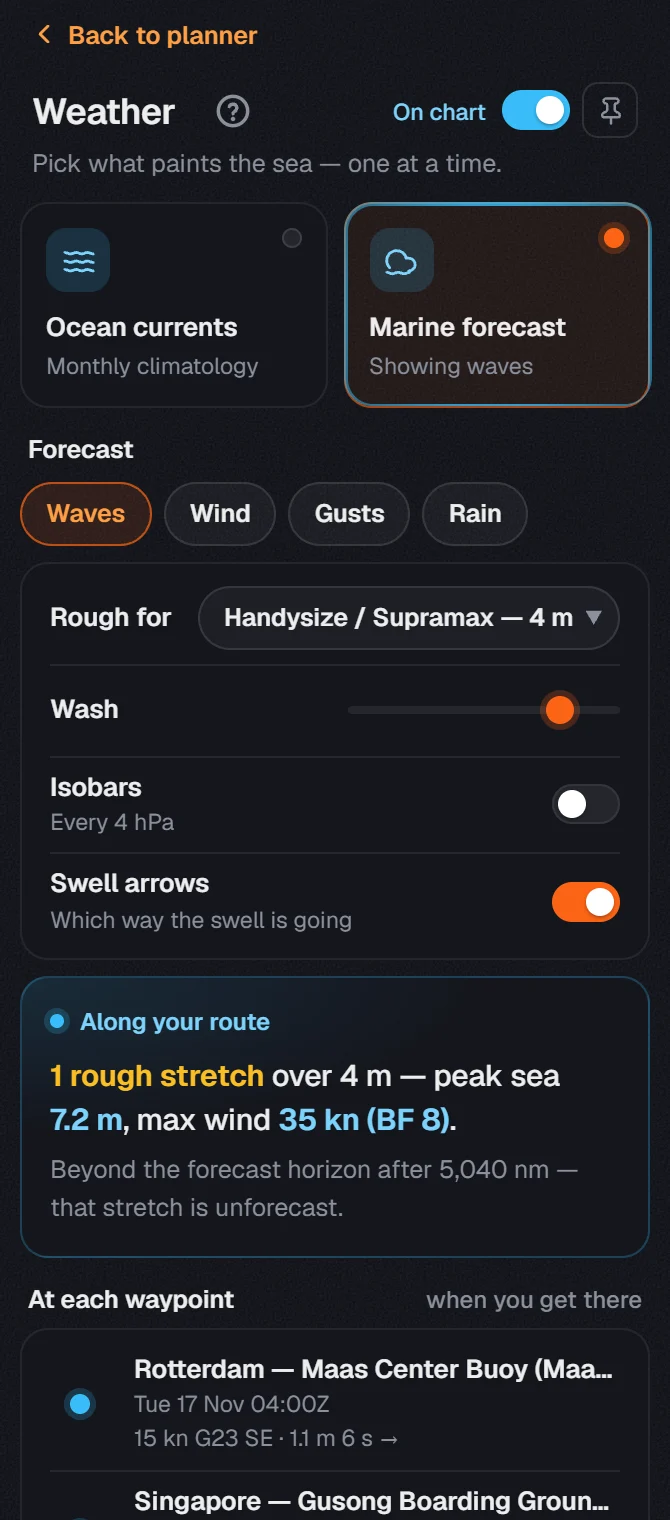
Switch on the Marine forecast
Press Marine forecast. Along your route reads it at your ETA on each part of the route.
Optimize for currents
Press Optimize for currents. NaviBoss moves the route to ride the currents and says the time saved.
About our guides
NaviBoss guides are written and checked by maritime industry experts, masters and deck officers. Each one is built from the same data the planner uses, dated, and rebuilt when that data changes. Spotted something wrong? Tell us on the feedback board.
A planning aid, not for navigation. Check official charts and publications, the latest notices and your company's instructions before you rely on any figure here.
Free Ready when you are
Do it on your own voyage
Free account, no card. The tour walks you through it in the planner.
Start the tourFree account · no card