

Guide NaviBoss help
How to work out the miles inside ECAs for your fuel plan
The miles of your voyage inside Emission Control Areas, a way round where one exists, and a fuel changeover waypoint in the route file.
Your fuel plan needs the miles inside ECAs. The Environment tool gives them for your route, and the Export tool can put a fuel changeover waypoint before each ECA entry.
#Steps
Plan your route
Pick the ports and press Plan route.
Open Environment
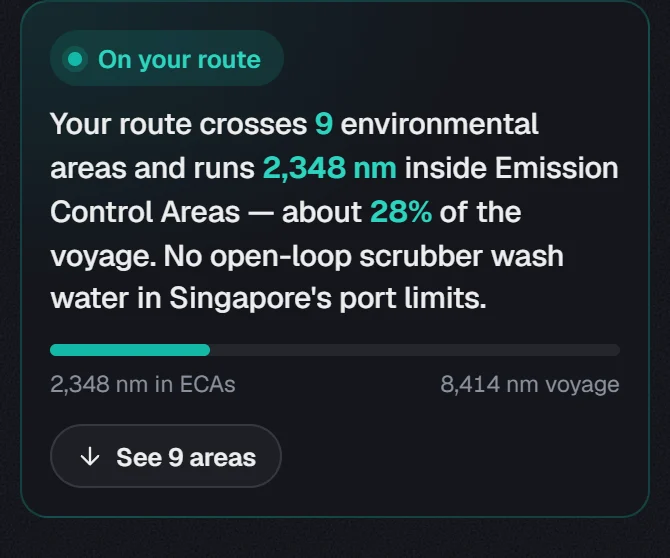
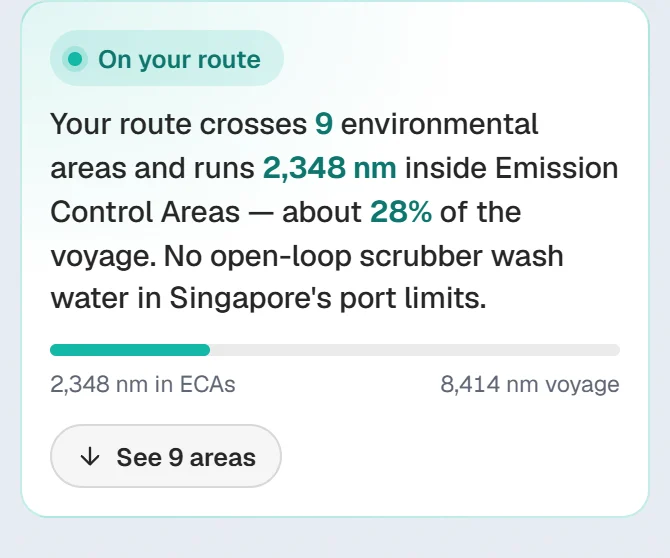
Press Environment in the rail. The briefing gives the miles inside ECAs and the share of the voyage.
Skirt an ECA if you want
Under each ECA on the route, Skirt this ECA plans a way round where a short one exists. The line under it says what it costs.
Add the fuel changeover point
Open Export and press Fuel changeover point. It adds a waypoint a set time before each ECA entry.
Download the pack
Press Next to Review, then Download pack.
About our guides
NaviBoss guides are written and checked by maritime industry experts, masters and deck officers. Each one is built from the same data the planner uses, dated, and rebuilt when that data changes. Spotted something wrong? Tell us on the feedback board.
A planning aid, not for navigation. Check official charts and publications, the latest notices and your company's instructions before you rely on any figure here.
Free Ready when you are
Do it on your own voyage
Free account, no card. The tour walks you through it in the planner.
Start the tourFree account · no card